
ShaderGlass Quietly Freed Twelve Hundred CRT Shaders From RetroArch's Jail — and Nobody's Calling It What It Is
It's a free Windows overlay that runs any shader on any window: your browser emulator, your Steam game, your YouTube tab, a Blender render playing back in VLC. The retro-shader scene has been building 1,200+ of these things for fifteen years and they were all stuck inside RetroArch. ShaderGlass is the key.
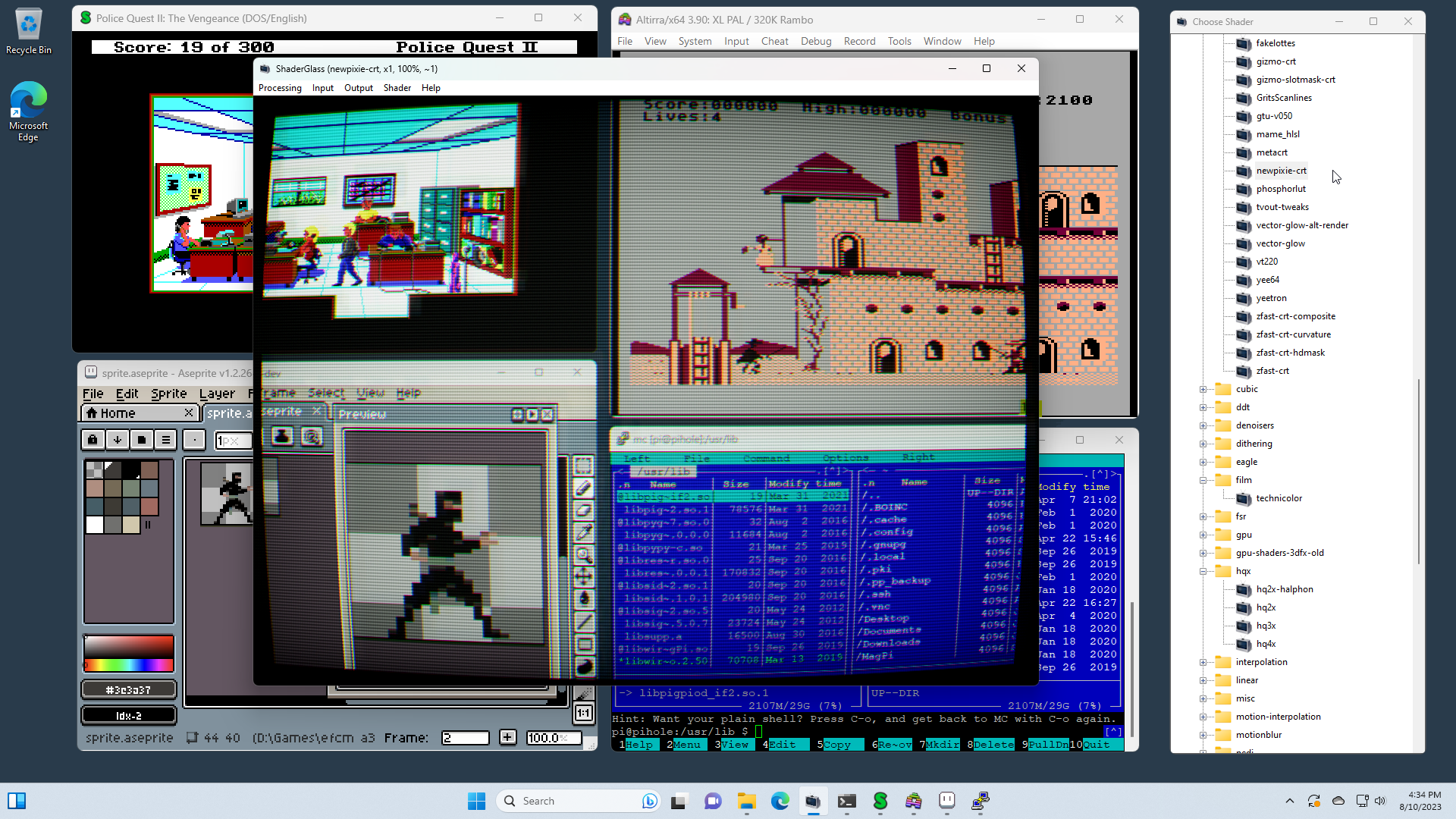
Credit the name up front: mausimus, a one-developer shop shipping ShaderGlass free on GitHub and itch (and now Steam) for Windows 10 2004 and newer. The elevator version is "CRT shaders, on top of anything, floating or full-screen." The real claim is stranger and more important.
For fifteen years the retro-scanline/phosphor/mask/bezel scene built its best work as RetroArch slang — GLSL presets and shader chains curated to a specific emulation core, gated behind RetroArch's (correct, necessary, intimidating) configuration surface. That shader library grew past twelve hundred presets. Masterpieces in there. And if you were playing anything but a RetroArch-hosted ROM — a browser-based ROM, a Steam game in a fake-retro art style, a 2024 indie pretending to be 1989, a documentary edit of found cabinet footage, a Blender render of a cabinet that never existed — none of those shaders could touch your pixels.
ShaderGlass quietly flipped that. It's a capture-and-redraw overlay that runs the whole RetroArch shader library over any window on the desktop. The spinoff project, ShaderBeam, ports the Blur Busters CRT beam simulator into the same chassis for BFI work. It's the tool I reach for to punch up the playback side of the documentary pipeline before OBS captures the frame.
Three things to know if you haven't used it.
One: it's Windows-only, period — Wine works but isn't the target, and there's no Mac story. This will disappoint many of you. It disappoints me. It's also fair game — mausimus is one person, and a Windows-specific capture API is the only way a tool like this runs without asking every game to cooperate.
Two: the shader library is RetroArch's, so everything you've read about Mattias Gustavsson's CRT-Royale or crt-guest-dr-venom applies here too. ShaderGlass doesn't re-author, it liberates. The actual artistry is the shader authors'; the tool that puts it on anything you look at is mausimus.
Three: there's a performance cost proportional to capture area. A 4K window with a beam-simulator chain on top will cook a GPU. Scale your source window down, scale the shader fidelity up, composite after. If you're doing documentary-pipeline work where final output is 1080p or 1440p anyway, this is the right workflow regardless.
The scene gets better when the tools that free the scene's own work get noticed.— Lumenforce
The reason this matters for us: half of what we do at this publication is write about retro aesthetics in modern contexts — new games borrowing old language, fan recreations, fake archival footage, documentary edits of coin-op footage that never looked that clean in the cabinet. ShaderGlass is the piece of kit that makes "what does this actually look like at 1989-appropriate fidelity" a ten-second question instead of a ten-minute rabbit hole. The Wild Gunman resurrection piece we published today? The documentary pipeline we've been sketching for Insert Quarterly? The "here's what a 1974 cabinet's footage looks like after forty years in storage" thought-experiment shader chain? All of it routes through a tool like ShaderGlass at the playback stage. Before this existed, every one of those pipelines ended with a compromise. Now they don't.
Support it. Install it. Send mausimus a star. Next week's Lab piece is a ten-minute setup walkthrough with the exact chain we run on documentary playback — what to install, what to disable, what order to stack the shaders, how to composite the output in OBS. If there's a shader you want us to profile in that walkthrough, drop a comment.